

Overview
Clay’s HTTP API enrichment lets you call any external API directly from your table. By connecting Anysite endpoints, you replace Clay’s native data credit–consuming enrichments with direct API calls — keeping the same workflow but removing the data credit cost. What moves off Clay’s data credits:- LinkedIn profiles and company data
- Website scraping and content extraction
- Twitter/X user data and posts
- Company employee search
- Reddit, Instagram, YouTube data
- Email verification waterfall
- Phone number enrichment
Requirements: Clay Growth plan or higher (HTTP API is not available on Starter/Launch). Anysite API key from app.anysite.io.
Step 1: Get Your Anysite API Key
1
Sign up at Anysite
Go to app.anysite.io and create an account. Free tier includes 1,000 credits to test.
2
Copy your API key
In the dashboard, find your API key in the API Key section. You’ll use this as the
access-token header value in Clay.Step 2: Prepare Your Clay Table
Create or open a Clay table with your lead data. You need at least one column with identifiers — LinkedIn URLs, company domains, or Twitter handles.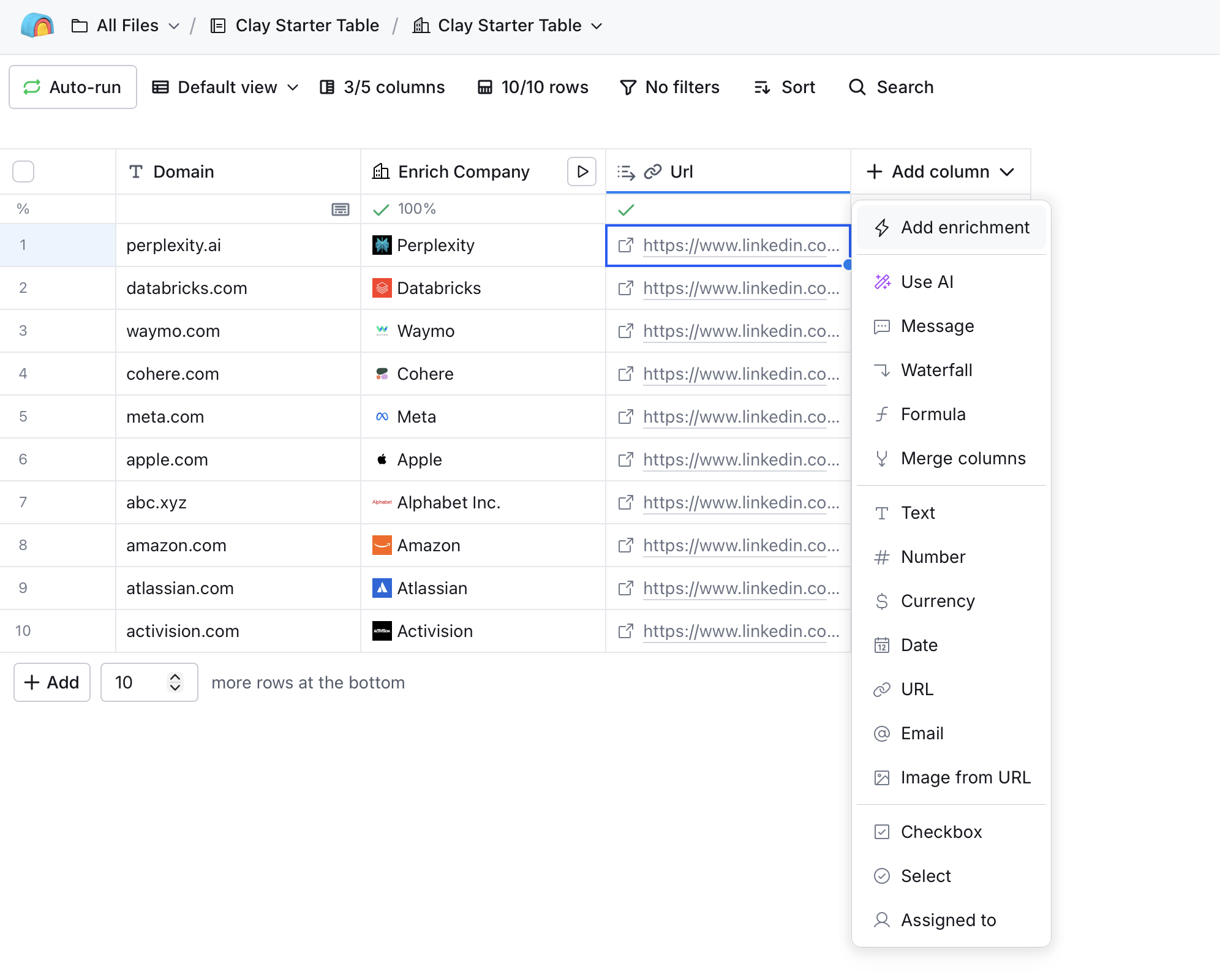
Step 3: Add HTTP API Enrichment
Select Add enrichment from the column menu, then search for HTTP API.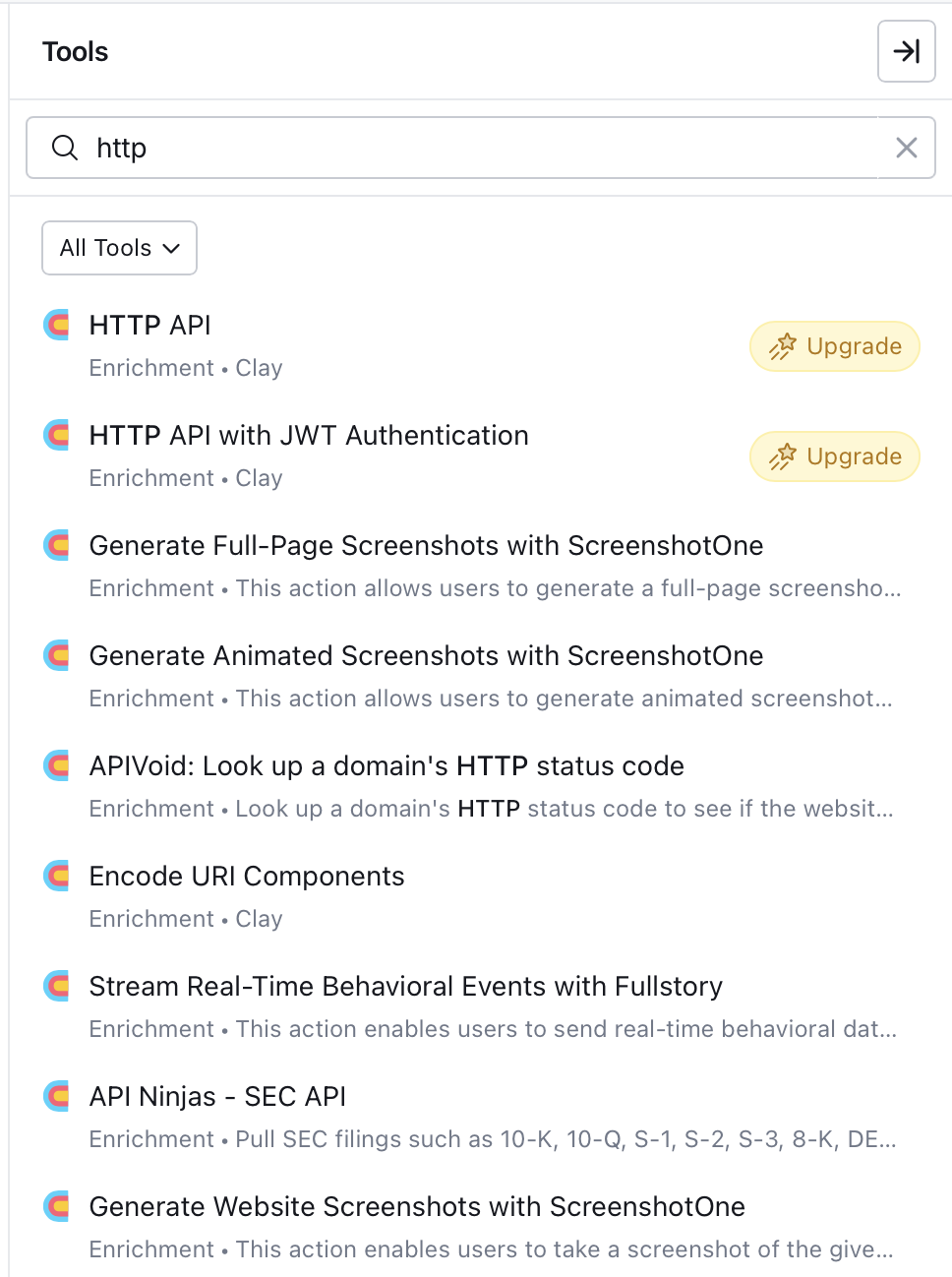
Step 4: Configure the API Call
Clay offers two ways to set up the HTTP API connection: Generate (AI-assisted) and Configure (manual).Option A: AI-Generated Setup (Recommended)
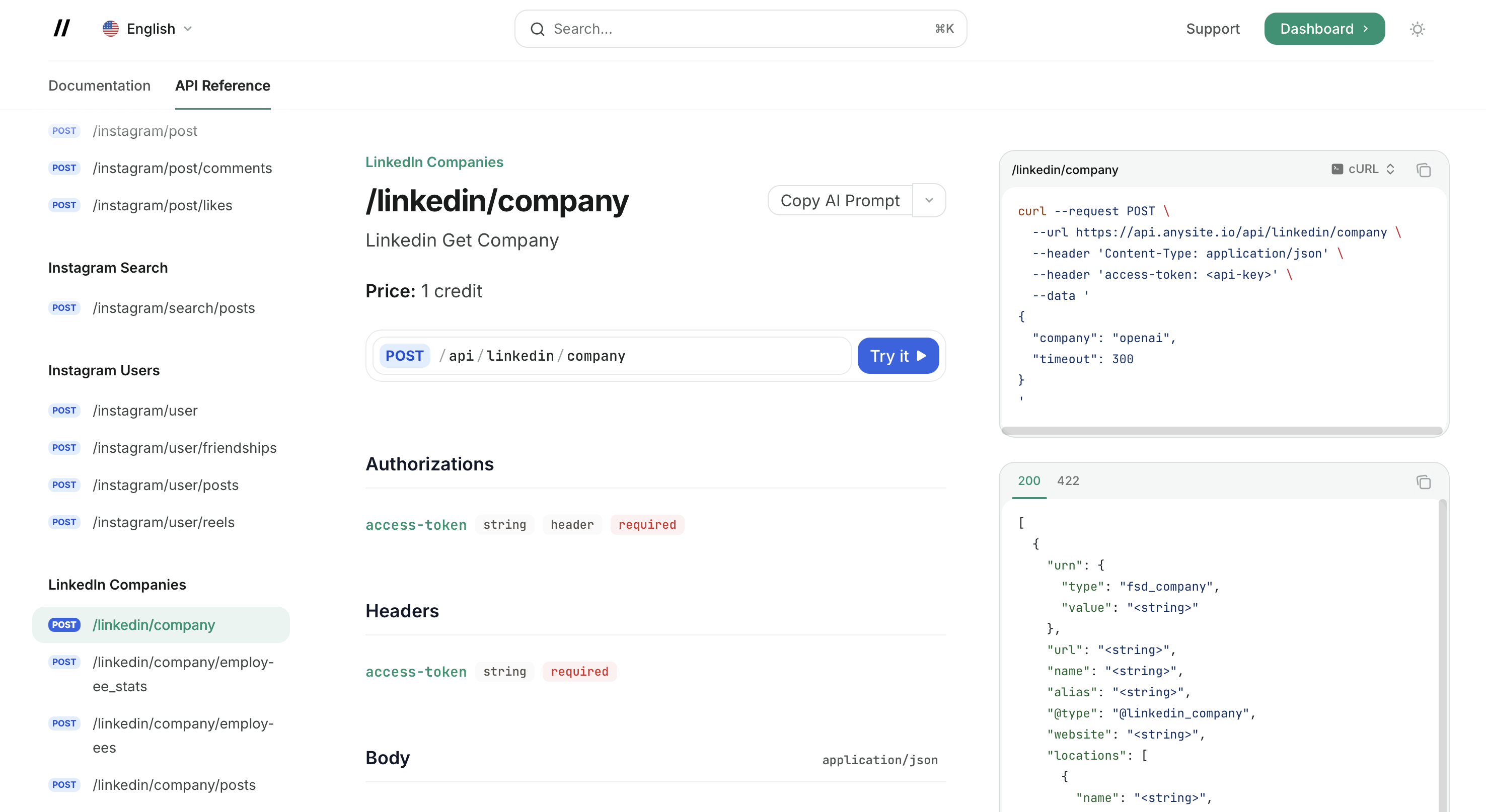
The Generate tab uses Clay’s Sculptor AI to automatically configure the API call. Instead of writing the prompt yourself, copy a ready-made prompt from the Anysite API Reference. 1. Open the endpoint page in Anysite API Reference Find the endpoint you need (e.g./linkedin/company) and click the AI Prompt button next to the endpoint title.
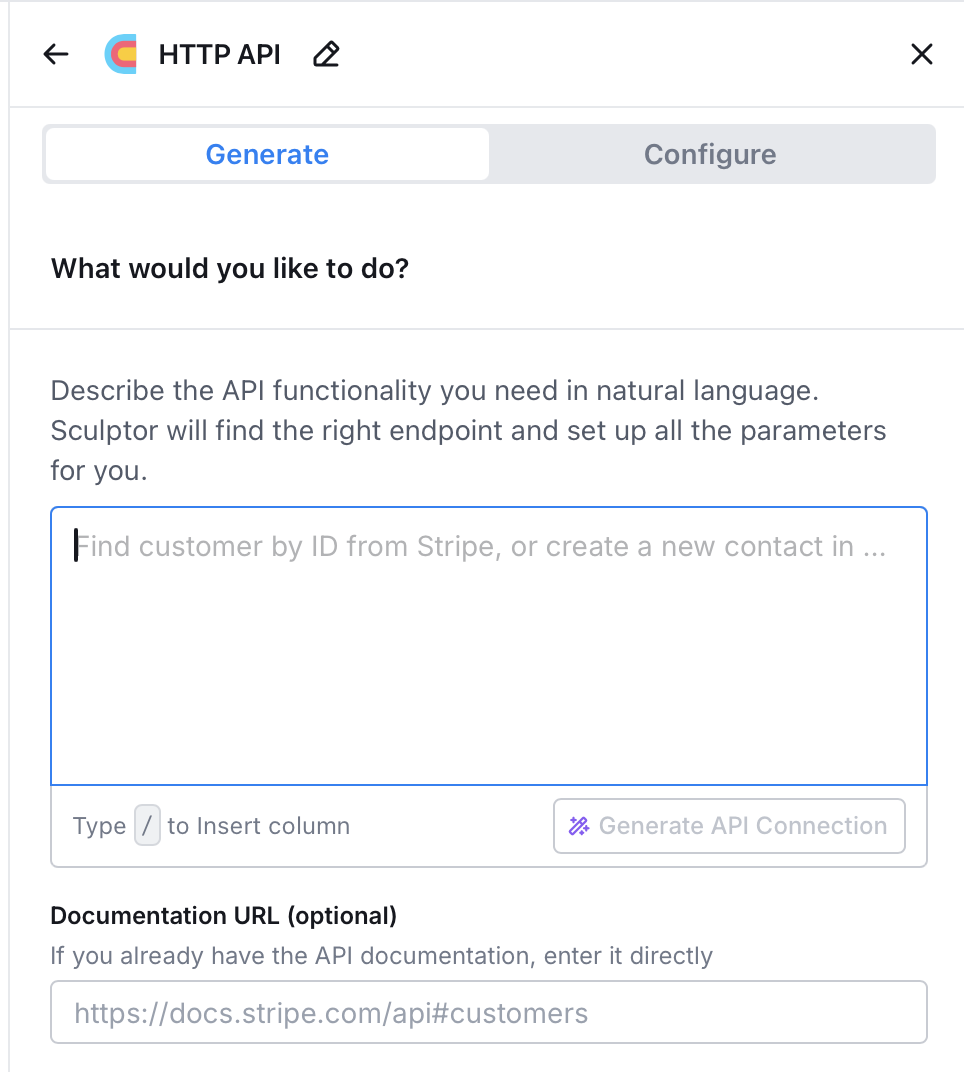
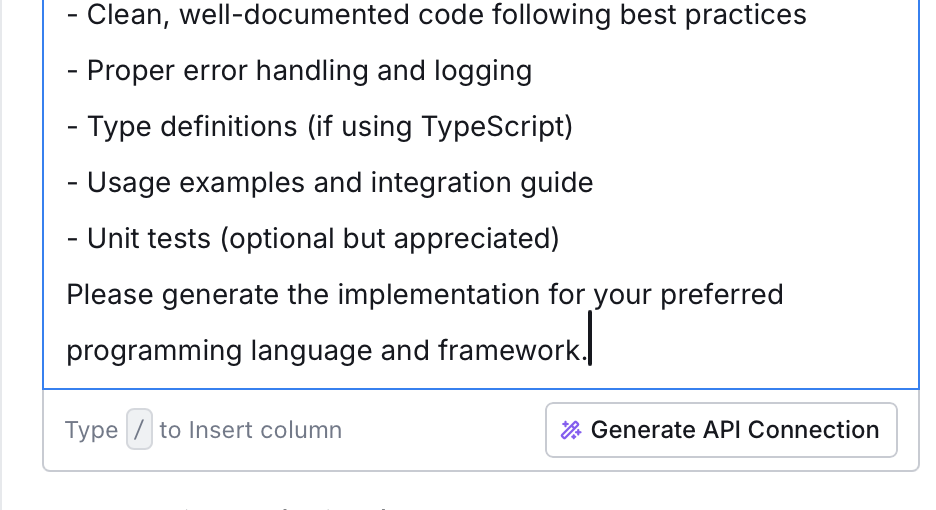
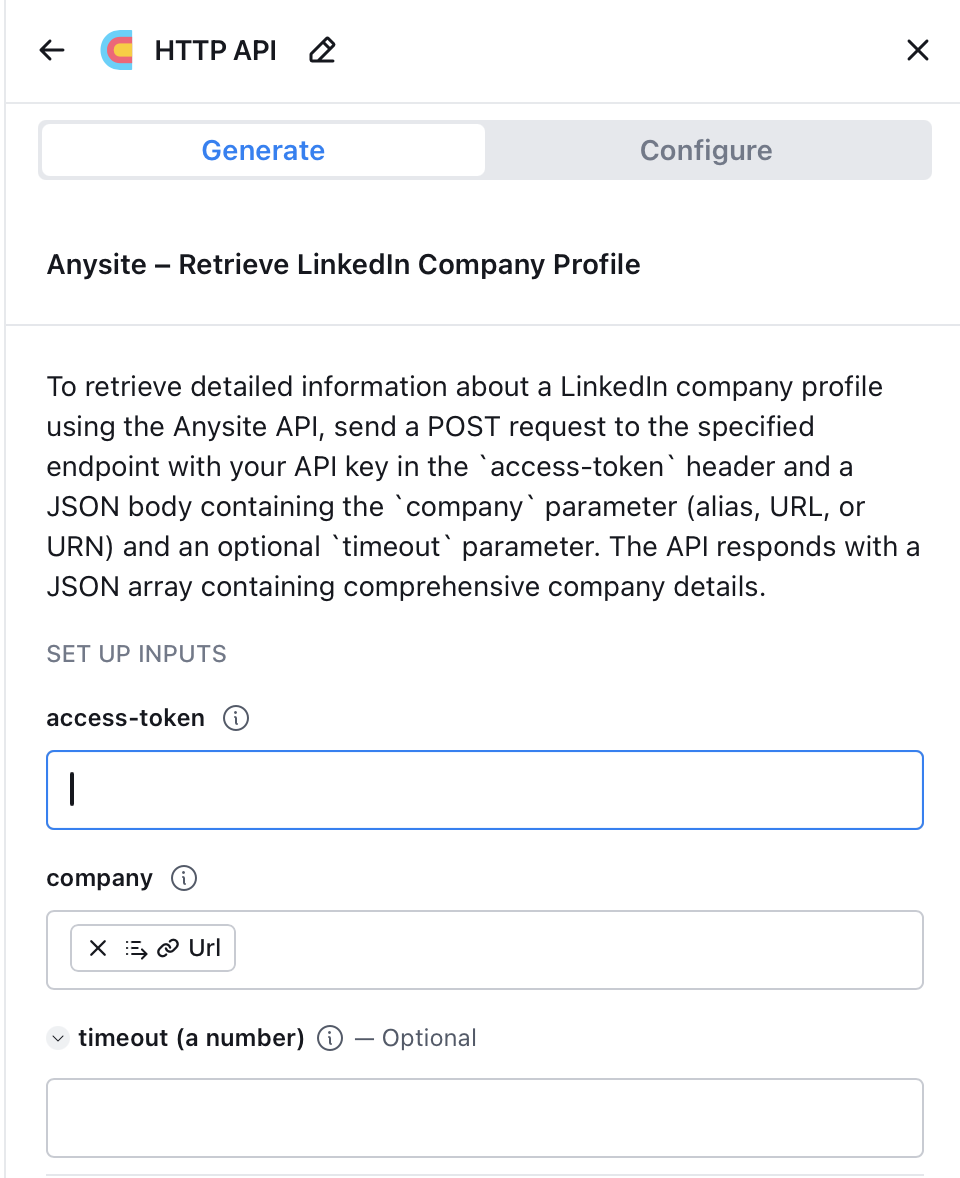
- access-token field — paste your Anysite API key here
- company field — mapped to your table’s LinkedIn URL column
- timeout — optional, leave empty for default (300s)
Option B: Manual Configuration
Switch to the Configure tab to set up the API call manually.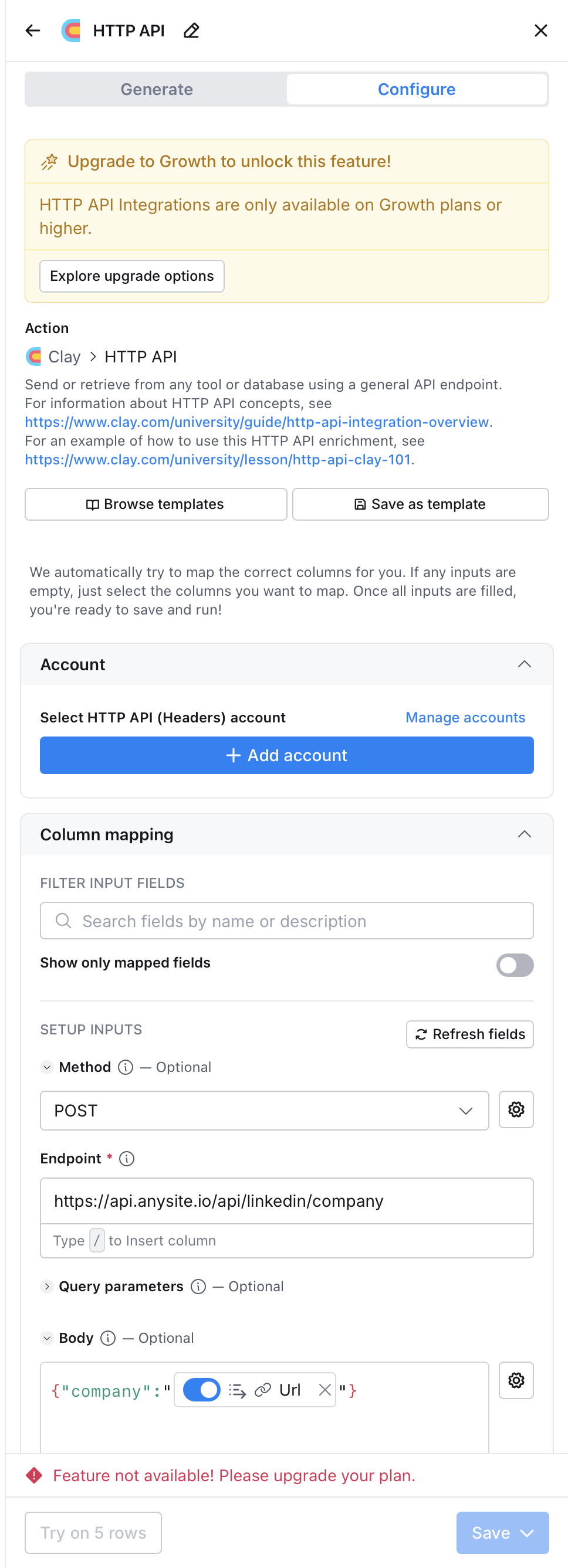
- Method:
POST - Endpoint:
https://api.anysite.io/api/linkedin/company - Account: Add HTTP API (Headers) account with
access-token: YOUR_API_KEY - Body:
{"company": "{{linkedin_url_column}}"}
/ key in any field to insert column references from your table.
Step 5: Map Response Fields
After running the enrichment, Clay returns structured JSON. Use Clay’s JSON path selector to extract specific fields into new columns:$.name— company name$.description— company description$.industry— industry$.employee_count— employee count$.headquarters— headquarters location$.website— company website
Common API Configurations
LinkedIn Company Profile
LinkedIn Person Profile
Find Decision Makers
Website Scraping
Twitter/X User Posts
Company Employees
Example Workflow: B2B Lead Enrichment
A typical 5-column enrichment pipeline:
Result: Full lead enrichment where only email verification uses Clay data credits. LinkedIn and web scraping are handled by Anysite at API plan cost ($49/mo for ~5,000 calls).
Cost Comparison
For a 1,000-lead monthly workflow with LinkedIn + website + email enrichment:
The difference comes from eliminating ~15,000 data credits on LinkedIn profiles and website scraping.
API Reference
For complete endpoint documentation with all parameters, types, and constraints:API Reference
Interactive API documentation with all endpoints
Full AI Reference
Machine-readable reference with all endpoints, parameters, and examples
Troubleshooting
HTTP API requires Growth plan or higher
HTTP API requires Growth plan or higher
Clay’s HTTP API enrichment is only available on Growth plan and above. If you see “Feature not available! Please upgrade your plan”, you need to upgrade your Clay subscription.Alternative: Use Clay MCP integration instead — MCP works on all Clay plans that support custom MCP servers.
Empty or missing data in response
Empty or missing data in response
- Verify the input URL/identifier is correctly formatted
- Check that the LinkedIn profile or company page exists and is public
- Some profiles may return limited data if they are private
- Error code 404 means the entity was not found — verify the URL
- Error code 412 means the entity is unavailable (deleted or restricted)
Sculptor generates incorrect configuration
Sculptor generates incorrect configuration
If the AI-generated setup doesn’t work:
- Switch to the Configure tab and set up manually
- Use the exact endpoint URLs from this guide
- Make sure
access-tokenis set as a header, not a query parameter - Verify the JSON body field names match the API documentation
Rate limits or timeout errors
Rate limits or timeout errors
- Default timeout is 300 seconds. Add
"timeout": 600to the body for slow requests - If you get 429 errors, reduce request frequency or check your plan limits
- Check usage at app.anysite.io dashboard
Next Steps
Clay MCP Integration
Alternative: connect via MCP for unlimited requests ($30/mo)
All API Endpoints
Browse all 50+ endpoints available via HTTP API
Authentication
API key management and authentication details
Get API Key
Sign up and get your API key — 1,000 free credits included